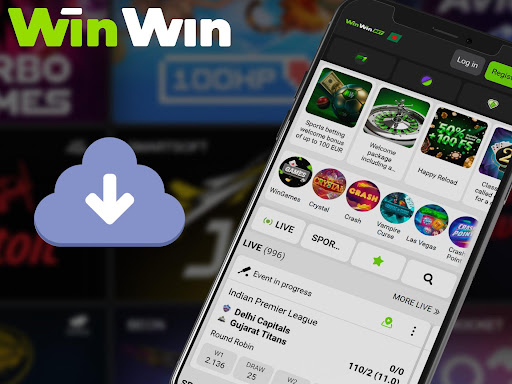

If you’ve been searching for a way to bet on cricket or spin a few slots without being tied to a computer, the WinWin app is probably what you’re looking for. It’s the mobile version of the popular Bangladesh-focused betting platform, and it brings pretty much everything the website offers right to your phone. The best part? It’s designed for convenience. The app is lightweight and once installed, it runs faster and smoother than the mobile site, especially during live betting when odds are changing quickly.
You can check scores, place bets, deposit using bKash or Nagad, and withdraw your winnings all from the palm of your hand. Another nice touch is that the app supports real‑time notifications, so you don’t have to keep refreshing the page to see if something has happened in a match you’re following.
Getting the WinWin App on Your Android Phone
Since the winwin app isn’t available on the Google Play Store (most betting apps aren’t), you’ll need to download it directly from the official website. Don’t worry — it’s a simple process that takes just a few minutes.
- Open the browser on your Android device and head to the official WinWin website.
- Once there, look for the mobile applications section — you’ll usually find an Android icon or a button that says “Download for Android”. Tap it, and the APK file will start downloading. The file is small, so it won’t take long even on a slow connection.
- Because the app isn’t coming from Google Play, your phone will block the installation by default. You’ll need to allow it by enabling installation from unknown sources. On most Android devices, you can do this by going to Settings, Security, Unknown sources (or “Install unknown apps” on newer versions) and toggling it on. Some phones will let you grant permission just for the browser you’re using, which is a safer option.
- Once that’s done, open your Downloads folder, tap the WinWin APK file, and follow the on‑screen prompts.
The installation takes less than a minute. After it finishes, you’ll find the winwin app icon on your home screen. Tap it, log in or create an account, and you’re ready to go.
Installing WinWin App on iPhone and iPad
The situation for iOS users is a bit different. Unlike Android, Apple doesn’t allow betting apps in the App Store, so you won’t find a native WinWin app there.
Instead, the platform is distributed through Apple’s TestFlight system, which is normally used for testing apps before they’re officially released. It sounds technical, but the process is actually pretty straightforward. You’ll need to install the TestFlight app from the App Store first. Once that’s done, go back to the official WinWin website on your iPhone or iPad, find the download section for iOS, and you’ll be given a TestFlight invitation link. Tap it, and TestFlight will open, showing the WinWin app ready for installation. Confirm, and the app will download and install just like any other app.
If your device asks you to “trust” the developer profile, go to Settings, General, VPN & Device Management and tap “Trust” next to the WinWin profile. After that, you’re all set — the app will appear on your home screen, and you can log in and start betting.
One thing to keep in mind is that TestFlight versions sometimes have expiration dates, so you might need to reinstall or update the app every few months. But the process is the same each time, and WinWin usually notifies users when a new version is available.
Is Your Phone Ready for WinWin App?
Before you go through the download, it’s worth making sure your device can handle the app. For Android, you’ll need at least Android 6.0 (Marshmallow), 2 GB of RAM (though 3 to 4 GB is better for smooth live betting), and around 200 MB of free storage space. The processor should be at least 1.4 GHz dual‑core — most phones from the last few years meet that easily. For iOS, the app runs on iOS 12.0 or newer, which covers iPhones from the 6s onward. Storage requirement is about the same, around 200 MB.
If your phone meets these specs, the app will run reliably. And don’t worry if you have an older or budget model — the WinWin app is optimized to work well even on mid‑range devices like Samsung Galaxy A14, Xiaomi Redmi Note 11, or Realme Narzo series.
Conclusions
Once the app is installed, take a moment to explore the interface. You’ll find the sportsbook, casino, live betting, and your account sections all clearly laid out. Whether you’re betting on cricket, trying your luck on slots, or just exploring live casino games, having the app on your phone makes everything faster and more convenient. Just remember to bet responsibly and only play with money you can afford to lose.